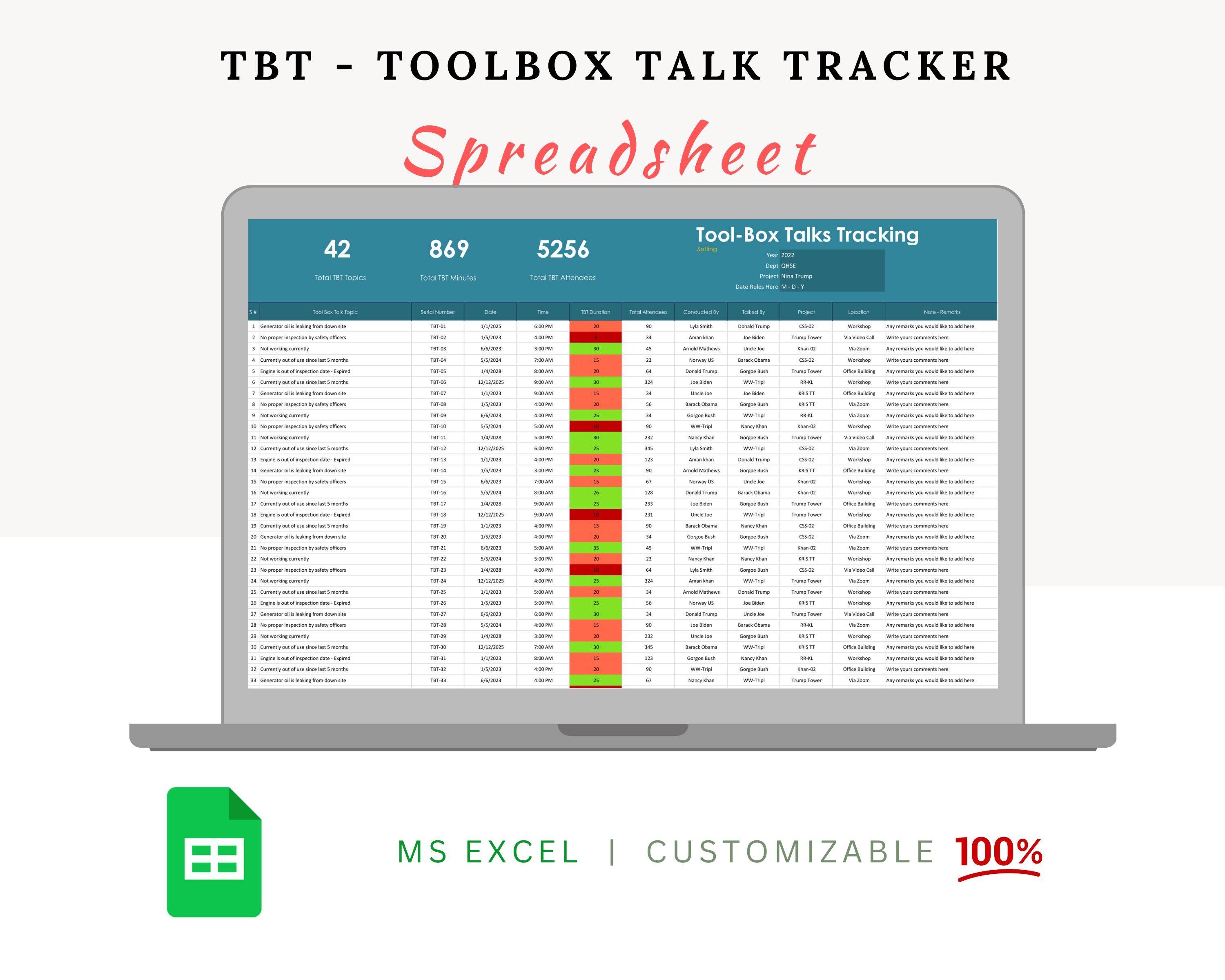
Safety doesn’t start with policy—it starts with conversation. And in high-risk environments like construction, manufacturing, or industrial maintenance, that conversation happens daily in the form of toolbox talks. Yet, many supervisors still scramble each morning to prepare relevant, compliant, and engaging safety briefings. That’s where a free toolbox talk template becomes more than just a document—it becomes a productivity tool, a compliance safeguard, and a cultural builder.
This guide delivers not just ready-to-use templates, but actionable insight into how to leverage them effectively. Whether you’re a safety officer, project manager, or site supervisor, you’ll find practical value here—including real-world examples, common missteps, and a curated list of trustworthy free resources.
Why a Free Toolbox Talk Template Matters
Toolbox talks are short, focused safety discussions—typically 10 to 15 minutes—held at the job site before work begins. Their goal? Reinforce safe behaviors, address emerging hazards, and keep safety top of mind. But consistency is hard without a structure.
Without a template, these meetings often become: - Repetitive (e.g., “Wear your PPE” every day) - Reactive instead of proactive - Poorly documented - Skipped during busy periods
A well-designed free toolbox talk template solves this by providing: - A consistent format for every session - Space for signatures and attendance - Prompts for hazard identification - Clear action items
And because they’re free, they remove cost barriers—especially for small contractors or startups building their safety programs.
Key Components of an Effective Template
Not all free templates are created equal. Many are poorly formatted, lack legal alignment, or omit critical fields. A high-quality template should include:
#### 1. Header Information - Date and time - Location/job site - Topic of discussion - Supervisor/conductor name
#### 2. Safety Topic Breakdown - Clear title (e.g., “Preventing Slips on Wet Surfaces”) - Brief hazard description - Real-world examples relevant to the crew - Preventive measures and best practices
#### 3. Discussion Prompts Open-ended questions encourage engagement: - “Has anyone seen this hazard this week?” - “What would you do if you noticed a frayed extension cord?”
#### 4. Attendance & Sign-Off - Employee names and signatures - Space for printed name and role - Acknowledgment of understanding
#### 5. Action Items & Follow-Up - Who will fix identified hazards? - By when? - How will it be verified?
A good template turns a monologue into a dialogue—and ensures accountability.
Common Mistakes When Using Free Templates
Even with a strong template, pitfalls can undermine effectiveness. Avoid these:

#### Mistake 1: Copy-Paste Without Customization Using a generic “Fall Protection” talk on a roofing site without referencing current roof anchors or edge work makes the talk feel irrelevant. Always add site-specific details.
#### Mistake 2: Skipping the Sign-In Sheet No signatures = no proof of training. In an audit or incident investigation, undocumented talks are treated as if they never happened.
#### Mistake 3: Repeating the Same Topics Monthly Crews tune out if they hear the same 5 topics every quarter. Rotate topics and revisit them with fresh examples.
#### Mistake 4: Letting the Supervisor Do All the Talking If the supervisor talks for 14 of 15 minutes, it’s a lecture—not a toolbox talk. Aim for 60% crew participation.
#### Mistake 5: Failing to Act on Identified Hazards If workers report a broken guardrail during the talk and nothing happens, trust erodes. Always close the loop.
5 Reliable Sources for Free Toolbox Talk Templates
Not all free templates are trustworthy. Some lack regulatory alignment or contain outdated advice. These five sources provide professionally developed, OSHA-informed, and easily customizable templates—no paywalls, no trials.
| Source | Topics Covered | Format | Customizable? | Notes |
|---|---|---|---|---|
| OSHA.gov | Fall protection, electrical safety, PPE | PDF/Text | Yes | Government-backed, minimal design |
| SafetyNow | 50+ topics including heat stress, equipment use | Yes | Clean layout, includes discussion questions | |
| Creative Safety Supply | General industry, lean safety, forklifts | PDF/Editable Word | Yes | Branding-free, fully editable |
| SafetyInfo | Construction, confined space, scaffolding | Limited | Veteran-created, real-world focus | |
| The Safety Culture Marketplace (by Safesite) | Daily safety checks, incident prevention | Digital + PDF | Yes | Integrates with mobile reporting |
Pro Tip: Download a few templates and merge the best elements. For example, use OSHA’s hazard descriptions with Safesite’s digital sign-off format for a hybrid solution.
How to Customize a Template for Maximum Impact
A template is a starting point—not the final product. Here’s how to tailor it:
#### Step 1: Match Topic to Current Work If crews are installing HVAC units this week, your fall protection talk should focus on roof anchors and harness inspection—not generic ladder safety.
#### Step 2: Use Real Incidents (With Permission) Reference near-misses from your site: “Last Tuesday, a worker slipped on oil near the compressor. Let’s talk how to prevent that.” This builds relevance and urgency.
#### Step 3: Translate for Language and Literacy If your crew includes non-native English speakers, simplify language or use visual aids. A picture of improper lifting > a paragraph on ergonomics.
#### Step 4: Add Site-Specific Rules Link the talk to your company’s safety manual. Example: “Per our site rule 4.2, all extension cords must be elevated off walkways.”
#### Step 5: Rotate Responsibility Let experienced crew members lead occasional talks using the template. It increases ownership and uncovers blind spots.
Integrating Templates Into Your Safety Workflow
A standalone template is useless if it’s not used consistently. Build it into your routine:
#### Daily: 10-Minute Kickoff - Print or pull up the day’s template - Gather crew at start of shift - Review topic, discuss, sign in - Log completed talks in a binder or digital system
#### Weekly: Topic Planning - Schedule topics in advance (e.g., Week 1: Electrical Safety, Week 2: Hazard Communication) - Align with upcoming work phases - Assign talk leaders
#### Monthly: Audit and Improve - Review past talks—any repeated hazards? - Ask crew for topic suggestions - Refresh templates based on feedback
Digital tools like Safesite or iAuditor can automate this—scanning QR codes, storing signed talks in the cloud, and generating compliance reports.
Real Use Case: Electrical Safety Talk on a Renovation Site
Scenario: A crew is replacing outlets in an old warehouse. Risk of live wires and improper grounding is high.
Template Adaptation: - Topic: “Working Safely with Older Electrical Systems” - Hazard: Unlabeled circuits, degraded insulation - Discussion Prompt: “What steps do you take before opening an electrical panel?” - Prevention: Lockout/tagout, voltage testing, PPE - Action Item: Supervisor to verify all testers are calibrated by Friday
The talk lasted 12 minutes. Two workers shared past shock experiences. All signed. The next day, an unmarked live wire was reported—caught before work began.
This is the power of a well-used template: it creates a culture where safety is spoken, not just posted.
Limitations of Free Templates (And How to Overcome Them)
Free templates aren’t perfect. Be aware of:
- Generic Content: Often lacks industry nuance.
- Fix: Edit to reflect your operations.
- Static Format: PDFs don’t allow real-time collaboration.
- Fix: Convert to editable Word or use a digital safety platform.
- No Tracking: Hard to prove compliance across multiple sites.
- Fix: Use a shared drive or safety app with version control.
- Outdated References: Some templates cite old OSHA standards.
- Fix: Cross-check with OSHA’s current guidelines.
Treat free templates as raw material—not the final product.
Final Thoughts: Make Safety Conversational, Not Compliance-Driven
A toolbox talk isn’t a box to check. It’s a moment to connect, inform, and protect. A free toolbox talk template gives you the structure, but the impact comes from how you use it.
Start by downloading one of the reliable templates listed. Customize it for your next job. Facilitate—not lecture. Document thoroughly. Act on feedback.
Do this consistently, and you won’t just avoid incidents—you’ll build a team that values safety as much as you do.
Download one. Customize it today. Talk tomorrow.
FAQ
What should you look for in Free Toolbox Talk Templates for Safer Work Sites? Focus on relevance, practical value, and how well the solution matches real user intent.
Is Free Toolbox Talk Templates for Safer Work Sites suitable for beginners? That depends on the workflow, but a clear step-by-step approach usually makes it easier to start.
How do you compare options around Free Toolbox Talk Templates for Safer Work Sites? Compare features, trust signals, limitations, pricing, and ease of implementation.
What mistakes should you avoid? Avoid generic choices, weak validation, and decisions based only on marketing claims.
What is the next best step? Shortlist the most relevant options, validate them quickly, and refine from real-world results.